 Sova
We make Sova, so keep that in mind while you read. Apple Calendar is genuinely good, and for some households it is all you need. This page is here so you can decide on facts.
The short version
Apple Calendar comes free with every iPhone. It shows your events, it shares iCloud calendars with other people who use iCloud (and a Family calendar with Family Sharing), and it costs nothing. Sova is an everyday planner: notes, tasks and calendars kept in separate groups, brought together on one Today view and one large Home Screen widget you can tick things off from.
Side by side
| Apple Calendar | Sova | |
|---|---|---|
| What it is | The built-in calendar app | A planner: notes, tasks and calendars in separate groups |
| Price | Free, preinstalled | Free, complete. Optional Pro adds Screenshot Scan and AI Dictate |
| Sharing | iCloud calendars shared with people who use iCloud, plus the Family calendar | One link or QR. On iPhone they join with Apple or an email code; without an iPhone they can join a shared list in a browser |
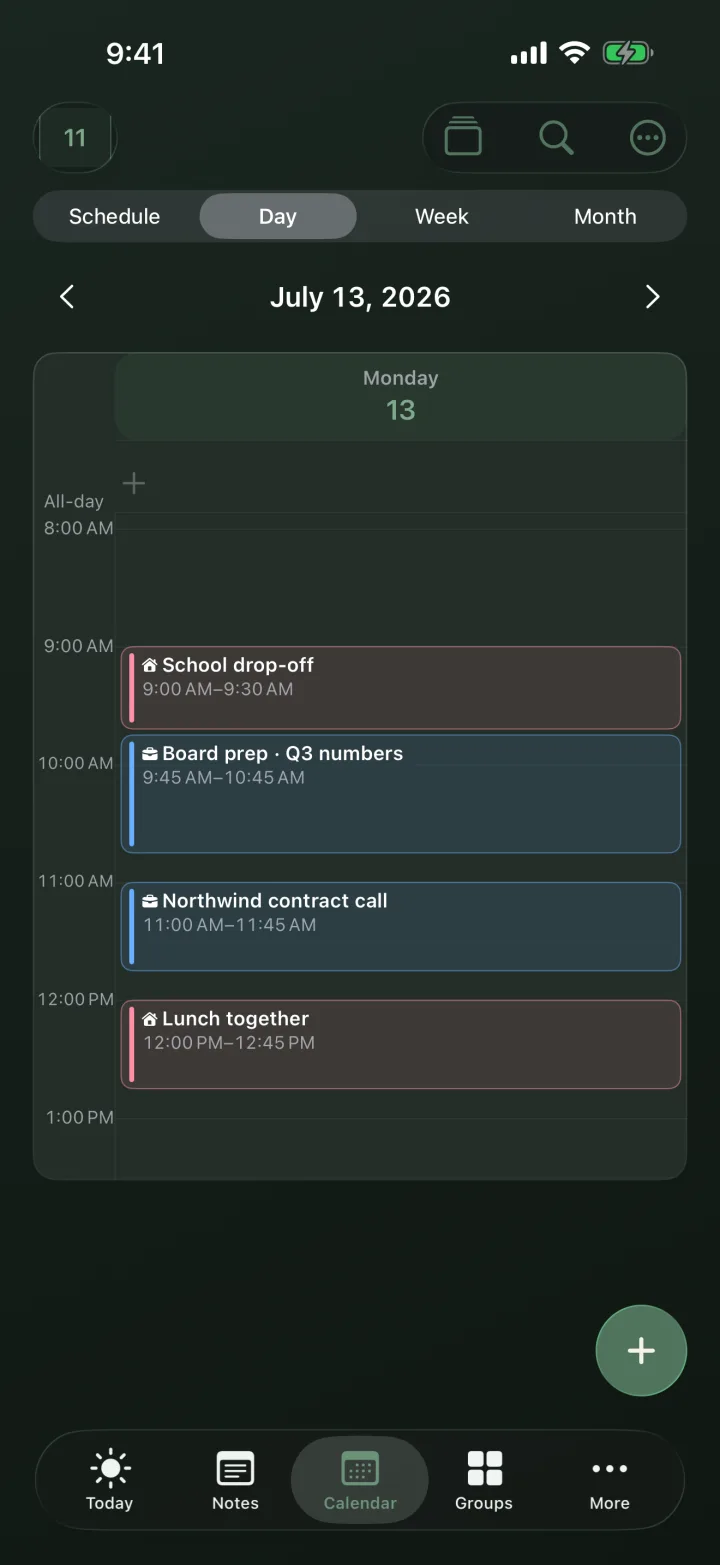
| Beyond events | Events only | Notes, checklists, photos (Sova Pro), and a widget you tick off without opening the app |
| Your calendars | Shows them | Shows them too, next to your notes and lists. Apple, Google and Outlook in one place |
| Privacy | Apple handles your data under Apple’s policy | Private groups stay on your iPhone. No ads or cross-app tracking |
Stay with Apple Calendar if…
Everyone you plan with is already in your Apple Family, and all you share is events. Family Sharing covers up to six people, it is free, and it is already on your phone. If notes, lists and a glanceable widget would just be noise, there is no reason to add an app.
Try Sova if…
Your plans live in more than one place. Sova keeps home, work and friends in separate groups and puts the day on your Home Screen. Sharing a list with someone outside your Apple Family is one link, not a settings walkthrough. And when a booking lands as a screenshot or an email, Scan or Dictate (Sova Pro) turns it into a dated draft instead of retyping it.
Common questions
Do I need another app if I use Apple Calendar?
Not if everyone uses iCloud and you only share events. Sova adds shared lists, notes and a Home Screen widget you can tick, and shows your Apple Calendar next to them.
Can I share with someone outside my Apple Family?
Yes. Send one link or QR; they join with Apple or an email code. Without an iPhone, they can join a shared list in a browser.
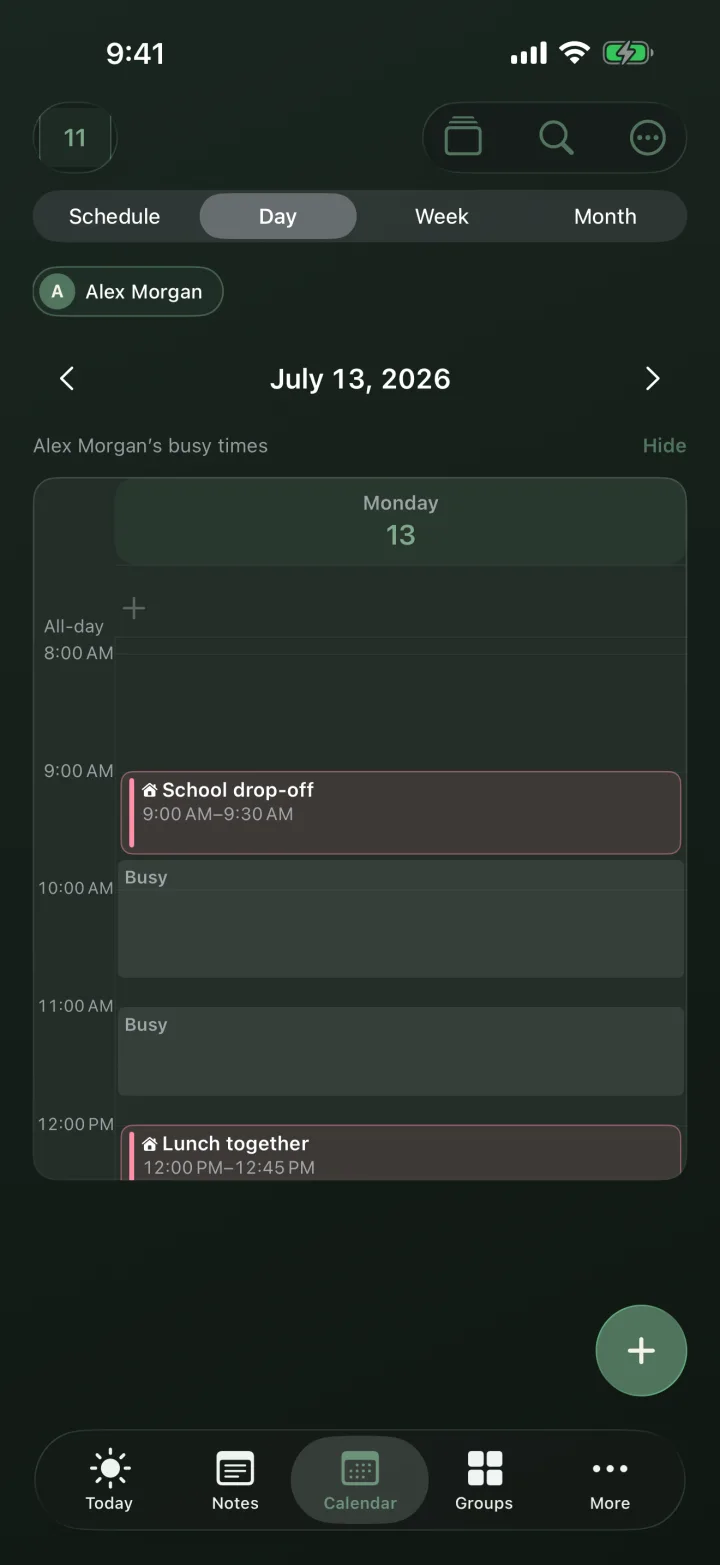
Can my partner see when I am busy without seeing my meetings?
Yes. With Availability, Sova shares only the start and end of events from the groups you choose, shown to your partner as Busy.
The honest line: Apple Calendar is the default for a reason. Sova is for when the default leaves you with a calendar in one app, a list in another, and the plan buried in a chat thread.
More guides and comparisons on the Sova blog.